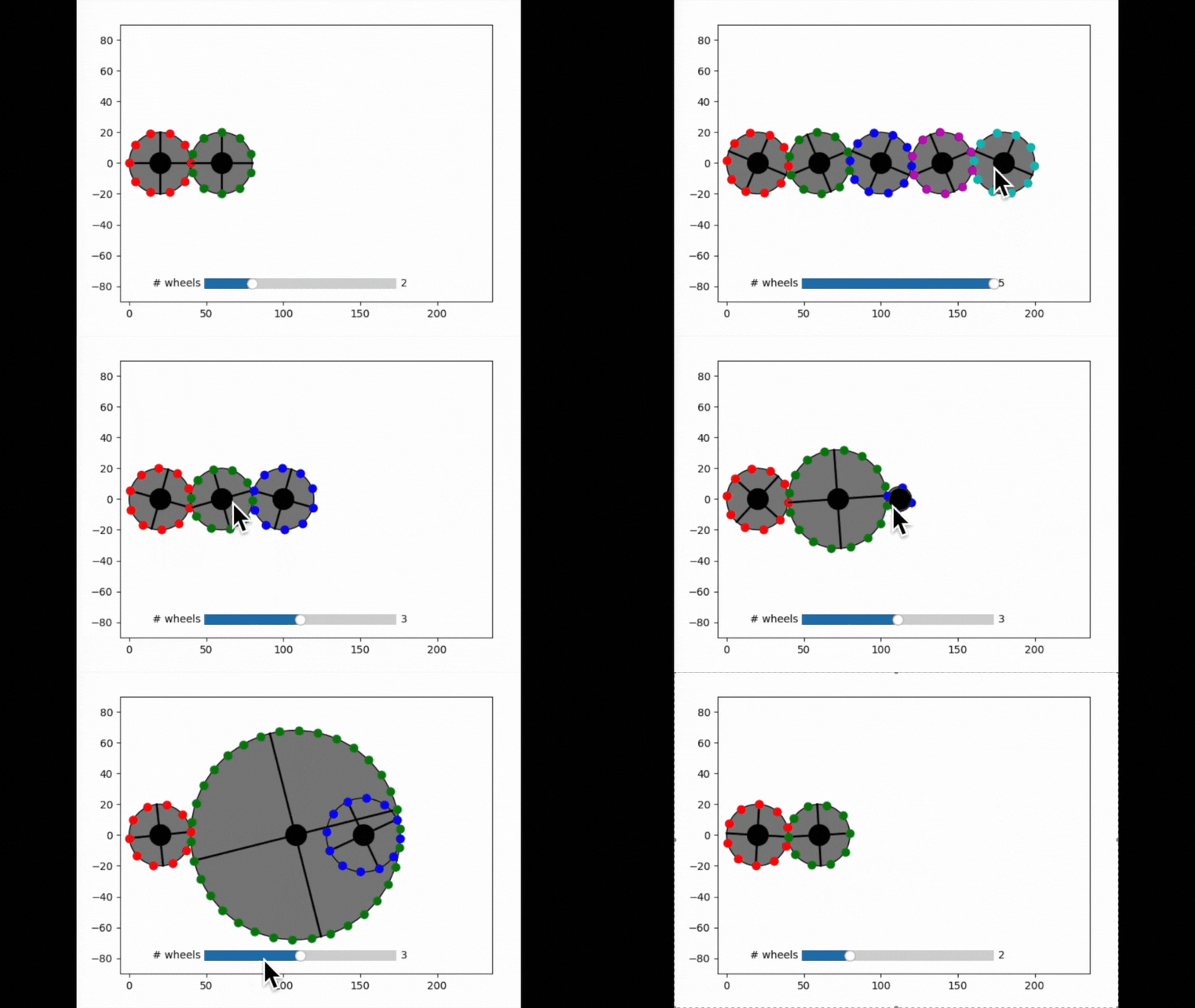
Sequencial connections
A simple demo of interactive graphics-driven assignments.
Features:
vectorize function with pass_quibs
Graphics-driven assignments from vectorized func
quiby function with pass_quibs (see alternative code below)
Try me:
Rotate any of the gears.
Drag gear centers to change their radius.
Add or remove gears using the slider
from pyquibbler import initialize_quibbler, iquib, quiby
initialize_quibbler()
%matplotlib tk

import matplotlib.pyplot as plt
import numpy as np

from numpy import pi, sin, cos
from matplotlib.widgets import Slider
# create the figure
plt.figure()
ax = plt.gca()
ax.axis('equal');
def create_wheel(center, n, r, phase, idx, color):
    # wheel body
    ax.add_patch(plt.Circle((center, 0), r, facecolor='gray', edgecolor='k'))

    # 90 deg lines
    a = phase + np.arange(4) * 2 * pi / 4
    ax.plot(cos(a[0::2])*r + center, sin(a[0::2])*r, '-k', lw=2)
    ax.plot(cos(a[1::2])*r + center, sin(a[1::2])*r, '-k', lw=2)

    # teeth
    a = phase + (0.5*idx + np.arange(np.abs(n))) * 2 * pi / n
    ax.plot(cos(a)*r + center, sin(a)*r, '.', markersize=15, color=color)

    # central axis
    ax.plot(center, 0, 'ko', markersize=20)

    ax.axis([-10, 240, -90, 90]);
# Parameters
default_num_tooth = 5
radius_per_teeth = 2
all_colors = list('rgbmcy')
n_w = iquib(2)
phase0 = iquib(0.)
# Create derived quibs
teeth_nums = (np.zeros(n_w, dtype=int) + default_num_tooth)
teeth_nums.allow_overriding = True
teeth_nums2 = teeth_nums * 2  # make sure teeth_num is even

radii = teeth_nums2 * radius_per_teeth
centers = -radii + np.cumsum(2 * radii)
transmision = - teeth_nums2[:-1] / teeth_nums2[1:]

colors = iquib(all_colors)[:n_w]
indices = np.arange(n_w)

phases = phase0 * np.concatenate(([1], np.cumprod(transmision)))
# Slider for number of wheels
Slider(plt.axes(position=(0.3, 0.13, 0.4, 0.06)), valinit=n_w, valmin=1, valmax=5, label='# wheels');
# Implement using vectorize
create_wheels = np.vectorize(create_wheel, pass_quibs=True, is_graphics=True)
create_wheels(centers, teeth_nums2, radii, phases, indices, colors);
# Implement using quiby (alternative)

# @quiby(pass_quibs=True, is_graphics=True)
# def create_wheels(centers, teeth_nums2, radii, phases, indices, colors):
#     n = len(centers.get_value())
#     for i in range(n):
#         create_wheel(centers[i], teeth_nums2[i], radii[i], phases[i], indices[i], colors[i])


# create_wheels(centers, teeth_nums2, radii, phases, indices, colors);